Image


Managing rent payments on the Wasl website should be simple, but questions often arise about updating card details, submitting cheques or confirming payments. This guide explains how to avoid delays, penalties and common payment issues, helping tenants keep their accounts running smoothly.
What Payment Methods Are Available When Leasing or Renewing?
Wasl offers flexible payment options for tenants:
You can manage and update these directly through the Wasl App or Wasl Website under E-services.
Tip: Always check your contract to ensure the payment method aligns with your lease agreement.
How to Change Your Credit or Debit Card Details
Tenants can update card details or replace an expired card, following these steps:
Missing the timing window may result in deduction attempts from the old card, potentially causing failed payments or penalties.
You can visit the dedicated page to view the full credit card terms and conditions.
How to Resolve Common Payment Issues
If your payment has been delayed or you are unsure whether it was processed, follow these steps:
Wasl will review your case and reach out to you directly. This service is free of charge, and any applicable refunds are processed within 7–10 working days after approval.
Check your payment receipt by opening Service Requests. If it’s not available, submit a Payment Information Request for manual verification.
Cheque Management: Postponing or Withdrawing a Cheque
Managing cheques effectively is key to avoiding payment delays or penalties when paying your Wasl rent.
A cheque can be postponed for up to 30 days after its original due date if you need more time before it is processed, provided the request is submitted at least 10 working days in advance.
Tip: This option helps if the original cheque is incorrect or delayed.
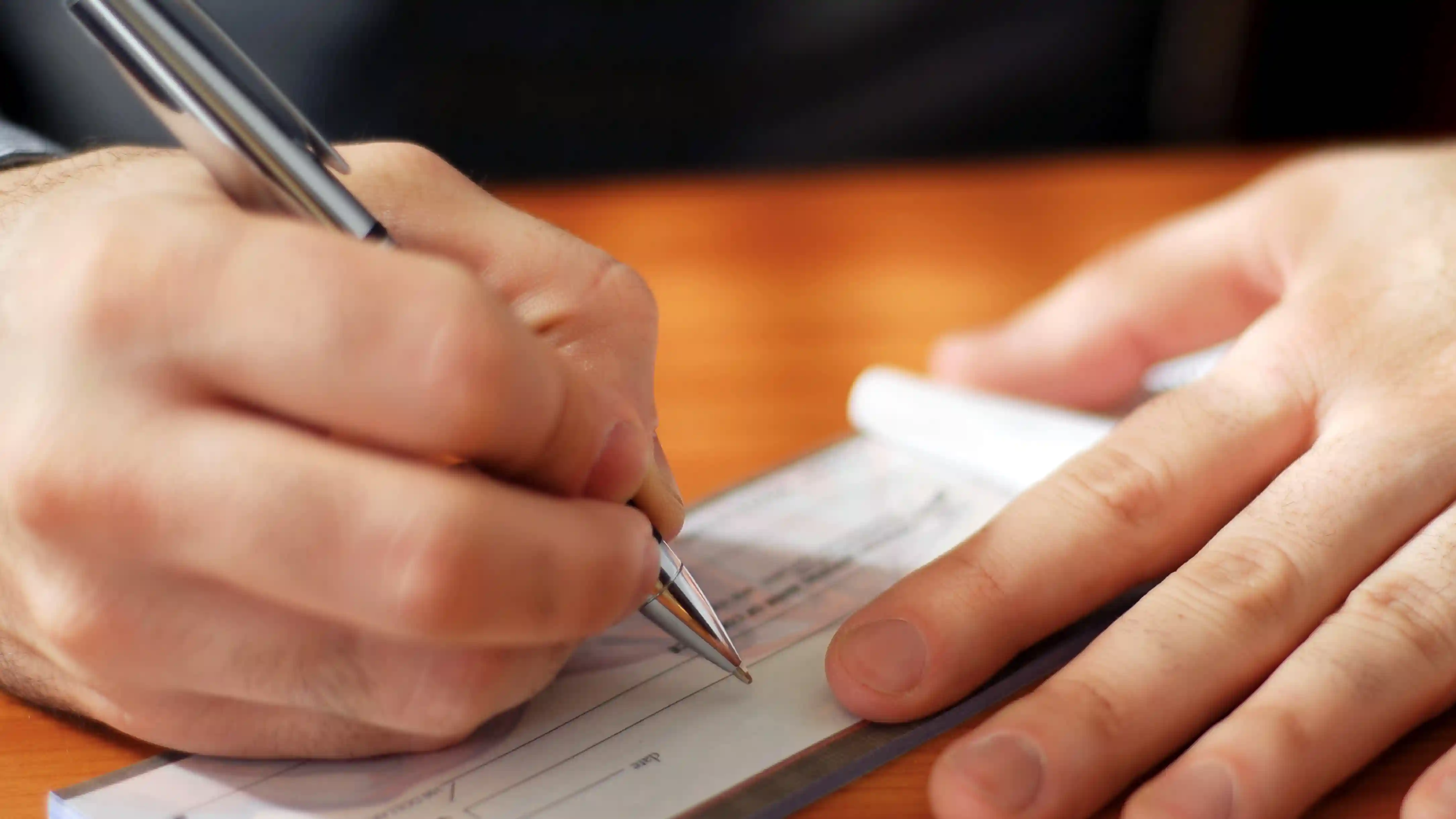
What to Do If You Encounter Errors When Processing Online Payments
If online payments fail:
Wasl will verify whether the payment was captured, reversed or pending.
Updating Your Account or Payment Details Across Systems
Updating details (phone, email, card, bank info) may take 24-48 hours to sync.
Tip: Ensure your contact info is always current to avoid collection issues.
If a cheque is not collected on time, Wasl will contact you to reschedule.
Make sure your location and phone number are up to date, and track the collection process under Service Requests. If a payment is missing, deducted late, showing an incorrect amount, or subject to unexpected penalties, submit a Payment Information Request immediately.
Wasl will review bank logs, system records, and cheque clearance to resolve the issue and waive any incorrect penalties if applicable.

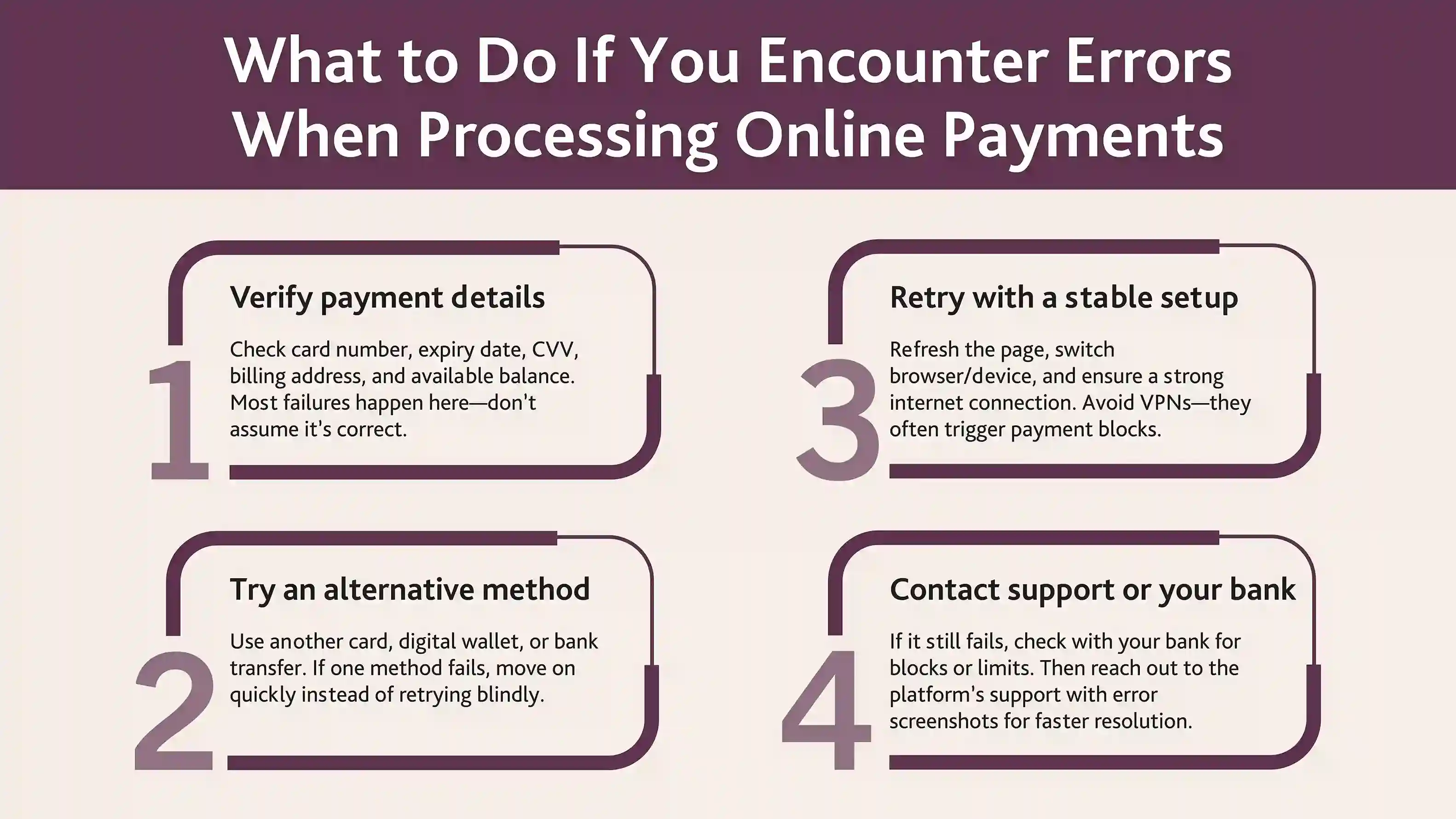
Best Practices and Final Tips to Avoid Payment Issues
Following these tips reduces failed deductions, cheque issues, and penalties.
You can always reach out through:
Wasl is committed to making your leasing and payment experience smooth, transparent, and stress-free. If you face any issue, we’re here to assist every step of the way.